 ministreamr
Your own video channel, on a server you own.
Upload from your phone. Go live from OBS, or from the phone itself. Keep the views, the comments, the chat and the sponsor money on a box you control.
How it works
Your server holds the channel. Your phone and your laptop are remotes for it.
Upload from your phone
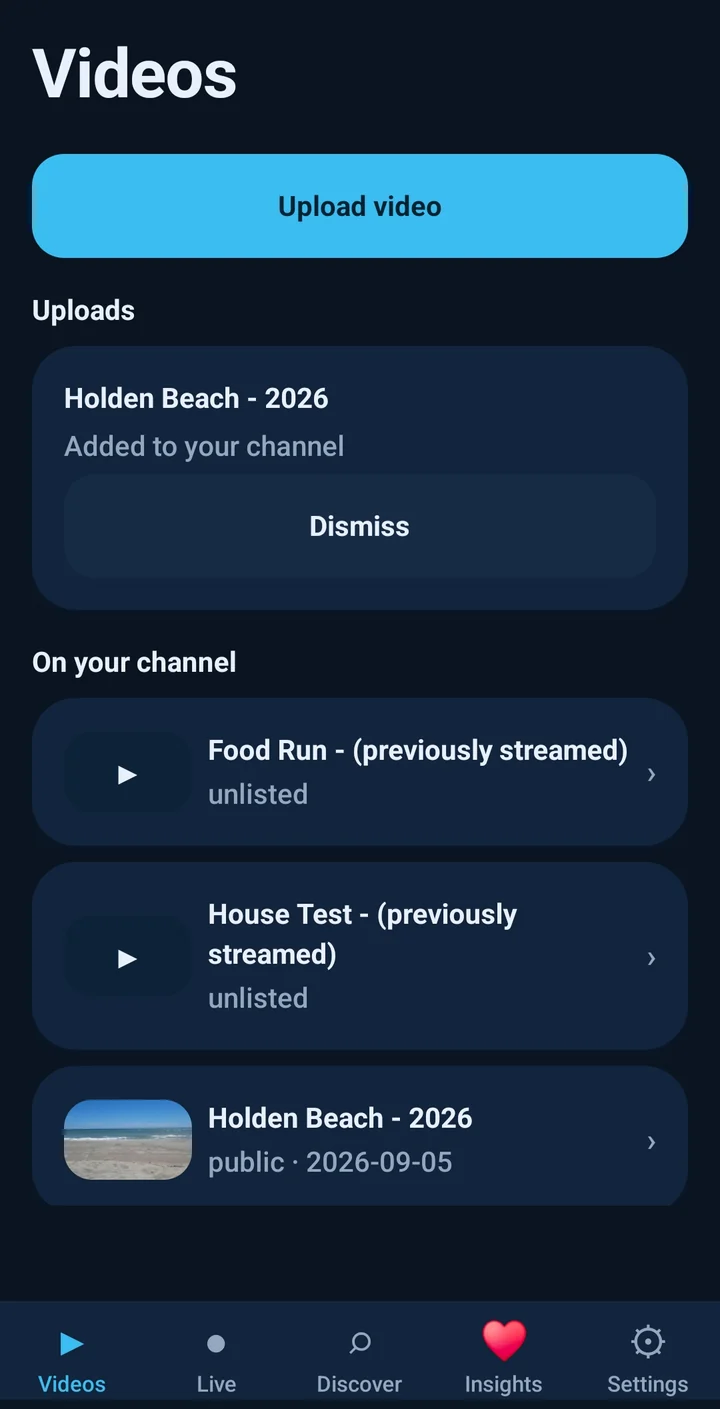
Pick a clip and the app transcodes it on the phone to 1080p H.264, then uploads it in resumable chunks. Lock the phone, lose the signal, come back: it picks up where it stopped.
Or go live, from OBS or the phone
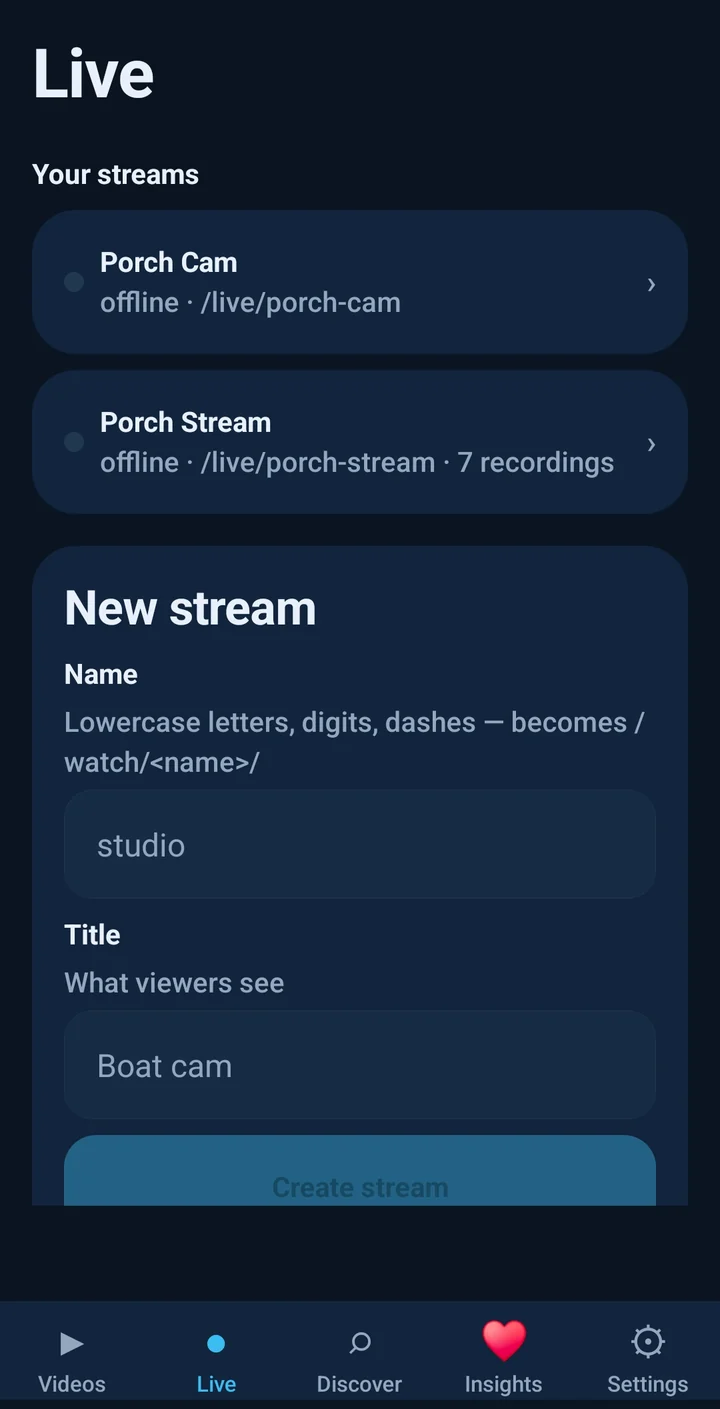
Create a stream, paste its key into OBS or tap Go Live in the app, and your watch page starts playing within seconds, with live chat. Every stream is recorded so you can turn it into a video afterwards.
Be found, be followed
List your channel in a shared registry, next to miniblogr blogs. Your RSS feed carries every video, so podcast apps and miniblogr’s Feed can follow you today.
Why this exists
A video channel used to mean a website with videos on it. Not an account, not an algorithm deciding who sees what. Just your videos, at your address.
Comments and chat, on your terms
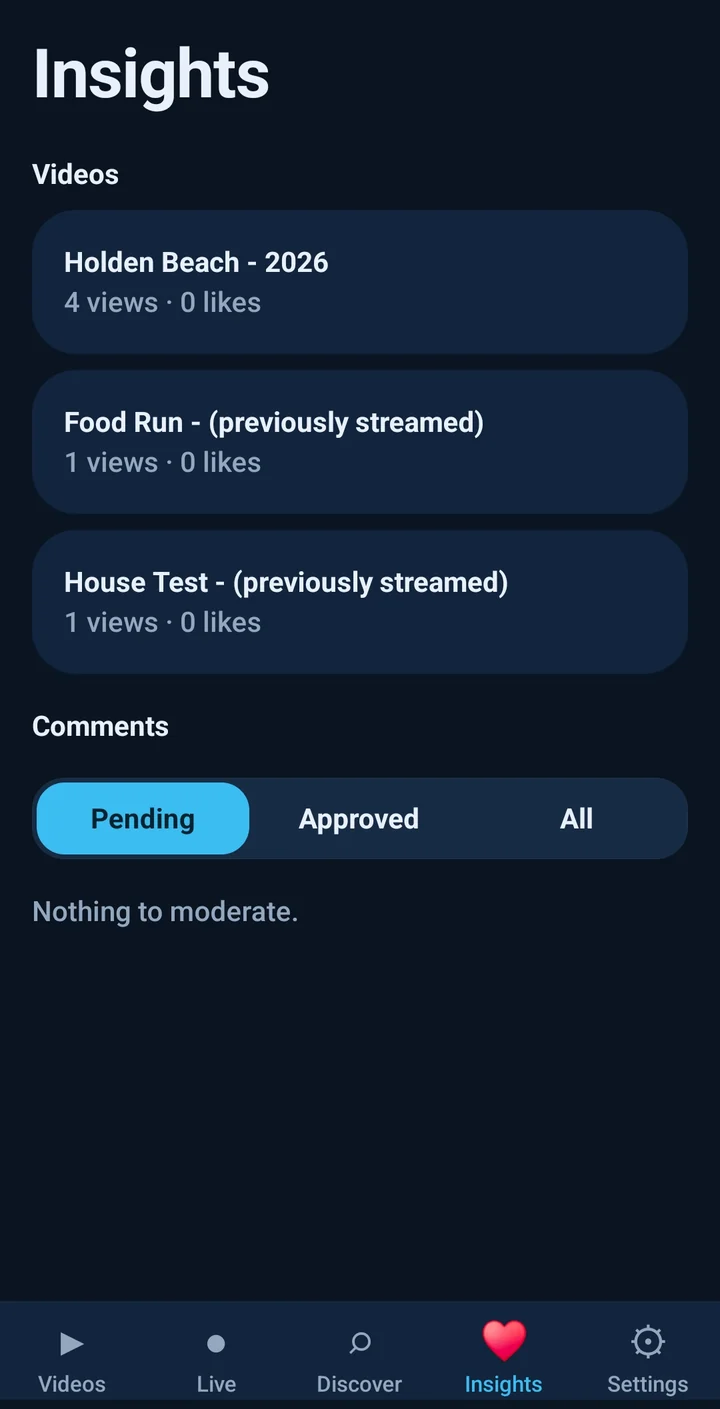
Views, likes, comments and live chat are handled by your server, with moderation on your phone and push when someone writes back. No third-party embeds.
Manage it from anywhere
The server ships a laptop admin page: drag in files, pick or auto-pick a poster frame, edit titles and chapters, rotate stream keys, watch your storage. The phone app does the same from your pocket.
Federation, the simple kind
Registries are just lists of sites anyone can run. Discovery is opt-in, ownership is proven by a file on your own domain, and the feed is plain RSS underneath.
Built to outlive us
Your videos are plain files in one folder, your pages are static HTML, and the server is two small open-source binaries. If ministreamr vanished tomorrow, your channel wouldn’t notice.
Earn from your channel
Sell a sponsor spot yourself and prove it was watched, with nothing between you and the money. No ad network, no analytics script, no per-viewer data on disk.
Your own pre-roll ads
Turn any clip you uploaded into an ad: a sponsor read, your merch, your Patreon. Skippable after the delay you choose, or not.
- One switch for the channel, opt-out or pin per video
- Rotates through your enabled ads at random
- Click-through to the sponsor, counted
Numbers a sponsor believes
The player reports how far each viewer got. You get a retention curve, quartiles, average watch time and every ad’s impressions, completions, skips and clicks.
- Per video, on the phone and the admin page
- Export as CSV and hand it over
- Aggregates only; nothing about individual viewers
Thumbnails that get the click
Pick the exact frame on your phone or in the browser, or let the app choose the most detailed of five candidates. No server-side video tooling required.
- Automatic on upload and after a stream
- Override any time from the video screen
Ads play in the web player. Viewers who download the file or follow by RSS see the video without them.
Run it your way
Two binaries and one data folder. Open your new domain, scan the pairing QR, upload.
Any VPS
about $5 to $8 a monthA one-line installer sets up the server, the live-ingest sidecar and automatic HTTPS on the cheapest box you can rent. Size the disk for video and watch the host’s transfer allowance; that, not the software, is the ceiling. Details in the repository’s deploy guide.
docker compose
same box, your DockerThree containers: the receiver, MediaMTX for live, Caddy for TLS. One volume holds everything.
Honest caveats
read before you hostNo CDN, so a viral clip can exhaust a small host’s bandwidth. Live streams are single-rendition: what you push is what viewers get. Phone broadcasting works on Android today and is in testing on iPhone; OBS and any RTMP or SRT encoder work everywhere.